Making changes in the catalog is an important part of the genrefication process. If possible, I would recommend doing this step of the process over the summer, when most books are returned. Of course, I didn’t…and it took quite some time to “catch” all of the books that were out at the time of the change.
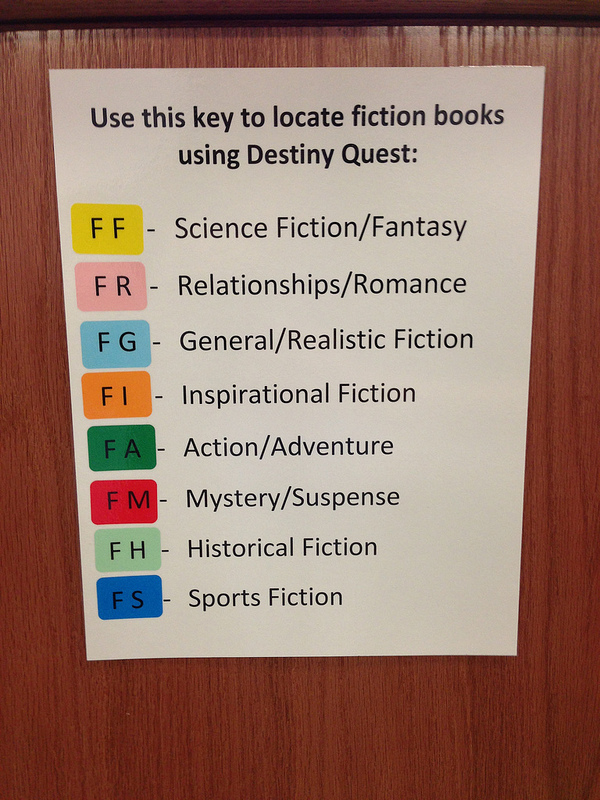
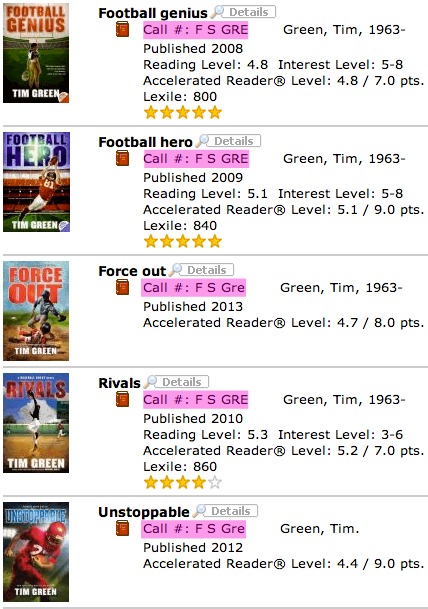
For our fiction books, I first cleaned up the record in Destiny, making sure all of the call numbers followed the F ABC format, instead of Fic ABC. Then, one of my awesome volunteers went section by section, working through the books, adding an extra letter (seen in the photo above) to denote the genre category. Like I said, we did this in the middle of the year, which made it a messy process to complete as books were constantly being checked out and returned. We also did books one by one, because I didn’t think to use the Batch Update feature (DUH!) in Destiny. Lesson learned, and we used batch update when we genrefied the nonfiction section. Here’s what a sample of our fiction section looks like in the catalog:
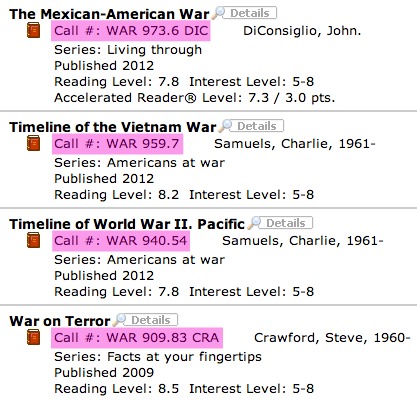
For nonfiction, we used the batch update feature to add the category name in front of the call number. I didn’t want to get rid of the Dewey call numbers completely just in case…so they’re still there:
This is what things look like in Destiny when you do a Batch Update:
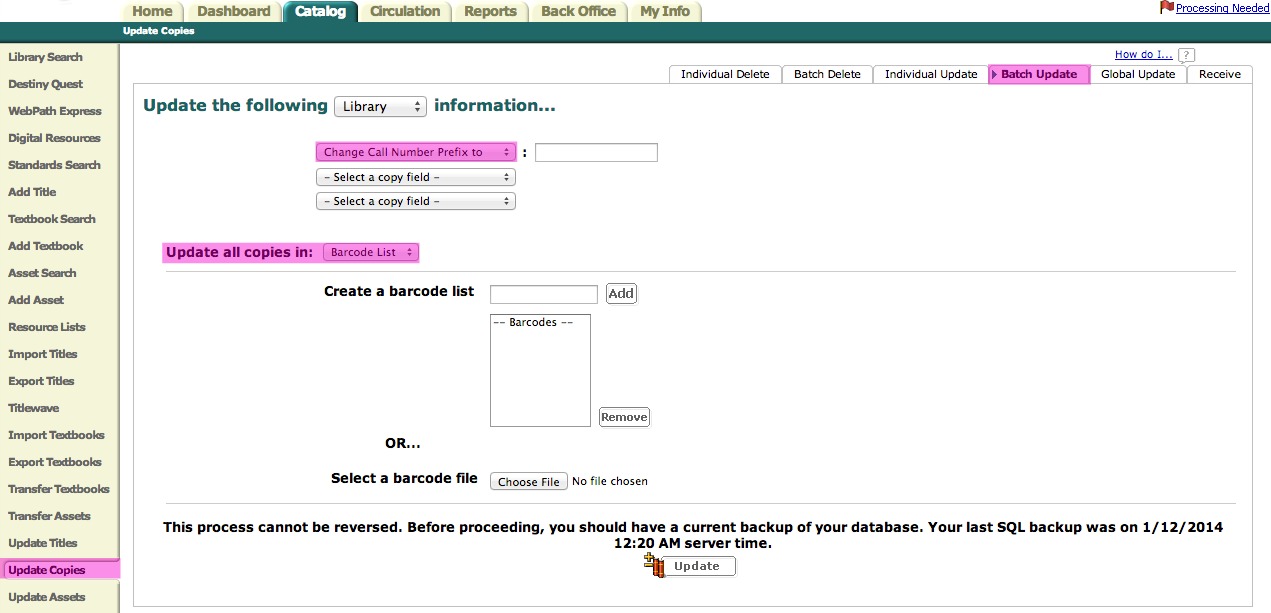
You would set the update up to make the changes you want, then scan in the books to the barcode list. SO much quicker and easier!
Making catalog changes is definitely not the most glamorous step in the genrefication process, but it must be done (and done correctly!).
Next up in this series is the most glamorous step of all…Signage!